← All releases · Desktop Suite
Forge v0.4.9
One private, local-first desktop window hosting 90+ self-contained tools for files, office work, PDFs, media, study, and local AI. No accounts, offline-first, with signed self-updates and one-click rollback.
Downloads & SHA-256 checksums
| OS | Package | Size | SHA-256 | Action |
|---|---|---|---|---|
| Windows | Windows Installer (.exe)Forge-Setup-0.4.9.exe |
199.8 MB | 1da265ff9d86…34e617fd |
Download |
| Windows | Windows Web Installer (small)Forge-Web-Setup-0.4.9.exe |
3.0 MB | c2e01e081708…519fe0e9 |
Download |
| Windows | Windows Portable (.zip)forge-0.4.9-windows-x64.zip |
251.3 MB | 0b6a7cb695e9…6aeb9467 |
Download |
| Linux | Linux AppImage (x86_64)Forge-0.4.9-x86_64.AppImage |
260.9 MB | a2bda1c66458…7797e337 |
Download |
| Linux | Linux Archive (.tar.gz)forge-0.4.9-linux-x64.tar.gz |
275.6 MB | 3f4b88384dc0…d6d08f6b |
Download |
| Linux | Linux Quick Setup Script (.sh)forge-get-0.4.9-linux-x64.sh |
12 kB | dfbee799c815…eb23af57 |
Download |
Verify locally — Linux: sha256sum <file> · Windows PowerShell: Get-FileHash <file> -Algorithm SHA256
What changed in v0.4.9
- App install, uninstall and updates: one clear button per app with live staged progress, clean uninstall with a Keep-my-data default dialog, reinstall in place, offline cache support, and one-click rollback
- Home search answers questions about Forge itself and fixes a hang on quick searches
- Lower memory use and cleaner temp tidy-up across app backends
- Eighty Six optional download updated to 0.2.0-alpha with the Cinderveil open world, multiplayer sync improvements and an in-game self-updater
Install & update
Windows 10 / 11 (x64)
Run Forge-Setup or the smaller Forge-Web-Setup (downloads chosen apps), or unpack the portable .zip anywhere. Unsigned builds trigger SmartScreen: click More info, then Run anyway.
Linux (x86_64)
Run the AppImage directly, use the one-line installer script forge-get, or unpack the .tar.gz and run ./Forge/forge --install.
Updates & rollback
Open Settings > Updates inside Forge to apply signed updates or roll back any app or core update in one click.
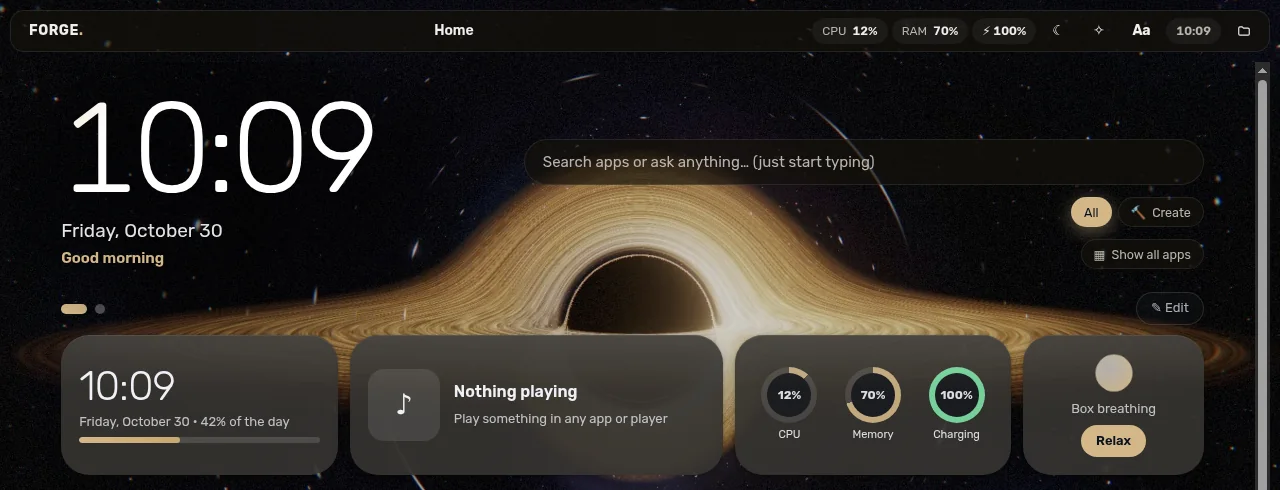
Screenshots
Click any screenshot to zoom in.
Updater feed
Release metadata (JSON): Installed copies check Settings > Updates and apply verified delta patches automatically with rollback.
https://openzenith-releases.pages.dev/feeds/forge.json
Signed Ed25519 pack index (what installed copies read):
https://github.com/TANK-12/forge-releases/releases/download/packs/forge-updates-v2-linux-x64.json
https://github.com/TANK-12/forge-releases/releases/download/packs/forge-updates-v2-windows-x64.json